BenQ RE6501 65” Education Interactive Display for Smart Classrooms
Smart classrooms are changing the way teachers teach and students learn. Traditional whiteboards and projectors are no longer enough for interactive education. Schools now need technology that keeps students engaged, improves collaboration, and supports digital learning. That is where the BenQ RE6501 65″ Education Interactive display stands out.
Designed for modern classrooms, this interactive flat panel combines touch technology, educational software, wireless sharing, and eye-care features in one powerful device. Whether you are running a school, training center, university, or coaching institute, this display helps create a smarter and more engaging learning environment.
The BenQ RE6501 65″ Education Interactive display offers a perfect balance of performance, durability, and ease of use. It is built to simplify teaching while making lessons more interactive and visually appealing for students.
Why the BenQ RE6501 65″ Education Interactive Display Is a Smart Choice
Teachers today face many classroom challenges. Students lose focus quickly, traditional teaching methods feel outdated, and remote collaboration is becoming more important. The BenQ RE6501 solves these problems with advanced interactive technology.
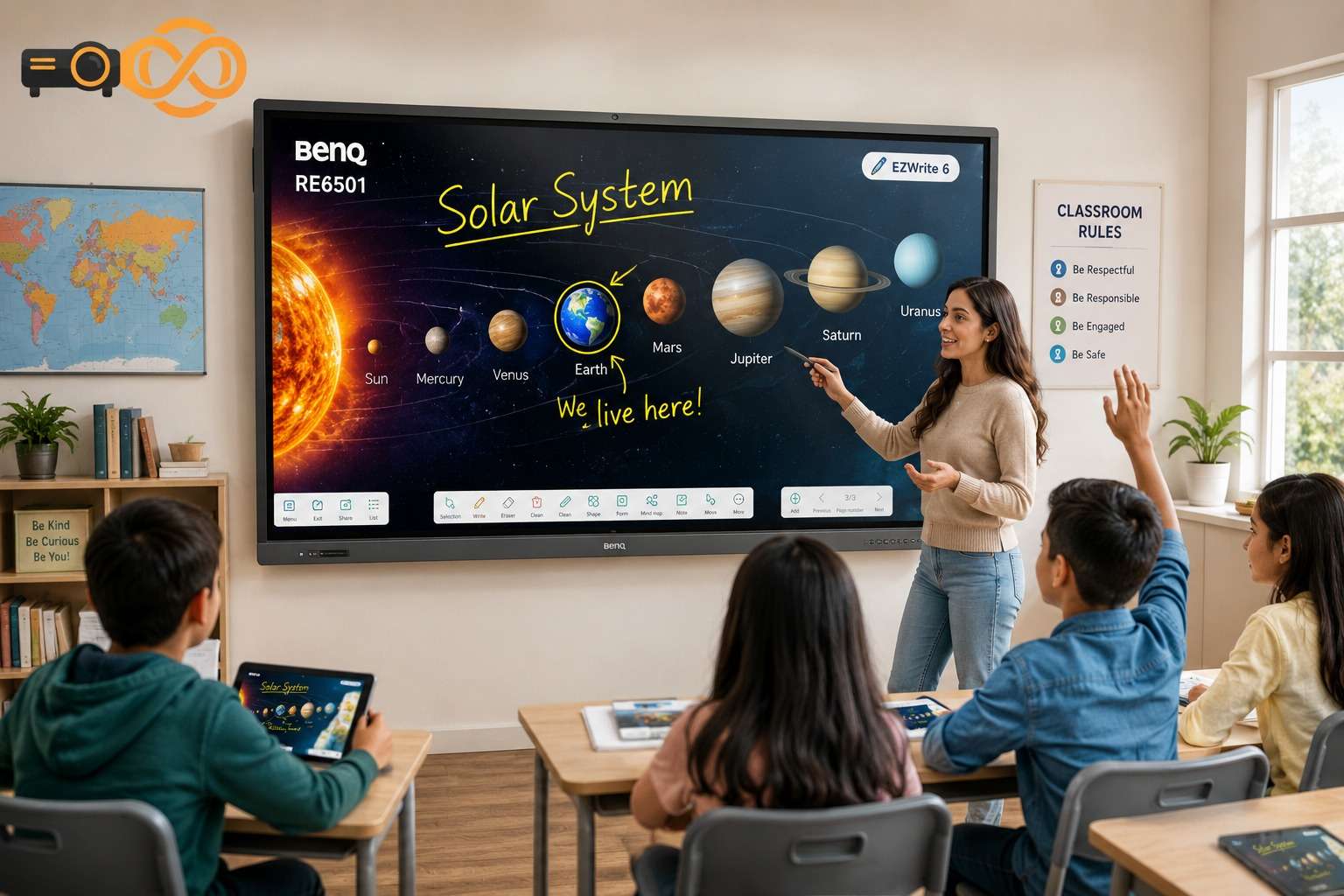
This display is more than just a screen. It works as a collaborative teaching hub where students and teachers can write, share, draw, and interact in real time.
Key Benefits of the BenQ RE6501 65″ Interactive Flat Panel
Ultra HD 4K resolution for crystal-clear visuals
Multi-touch support for collaborative learning
Built-in Android operating system
Wireless screen sharing
Eye-care technology for student safety
Smooth annotation and whiteboarding tools
Durable anti-glare screen
These features help schools create a more dynamic classroom experience without complicated setups.
BenQ RE6501 65 Price – Is It Worth the Investment?
One of the most searched terms is BenQ RE6501 65 price, and for good reason. Schools and institutions want technology that delivers value over time.
The price of the BenQ RE6501 may vary depending on region, supplier, and included accessories. However, considering its advanced educational tools, long lifespan, and reduced maintenance costs, it becomes a smart long-term investment.
Unlike traditional projectors that require lamp replacements and constant maintenance, this interactive display provides reliable performance with lower operational costs.
Schools investing in interactive learning technology often notice:
Better student engagement
Improved lesson participation
Faster collaboration
Reduced equipment maintenance
For updated pricing and professional consultation, visit Projector Pakistan.
BenQ RE6501 65 Specs – Powerful Features for Education
The BenQ RE6501 65 specs show why this display is designed specifically for educational environments.
Display Quality and Resolution
The 65-inch 4K UHD screen delivers stunning clarity. Text, diagrams, videos, and presentations appear sharp and vibrant, even in large classrooms.
Display Highlights
65-inch LED panel
4K UHD resolution (3840 × 2160)
Anti-glare tempered glass
High brightness for clear visibility
Students sitting at the back of the classroom can easily read and interact with content.
Multi-Touch Interactive Technology
The display supports multi-touch functionality, allowing multiple students to interact with the screen at the same time.
This encourages teamwork, classroom activities, brainstorming sessions, and collaborative problem-solving.
Interactive Features
Smooth handwriting recognition
Simultaneous touch points
Annotation tools
Interactive whiteboard mode
Teachers can explain concepts visually while students actively participate.
Built-In Android System
The built-in Android operating system removes the need for additional computers for many classroom tasks.
Teachers can directly:
Open educational apps
Browse the internet
Access cloud storage
Present multimedia lessons
This makes teaching faster and more flexible.
Eye-Care Technology for Safer Learning
One major concern in digital classrooms is eye strain. BenQ addresses this issue with advanced eye-care technologies.
Eye Protection Features
Flicker-free display
Low blue light technology
Anti-glare coating
These features help create a healthier learning environment for students and teachers during long classroom sessions.
To buy and to get more info of BenQ RE6501 65″ Education Interactive Display CLICK HERE
BenQ RE6501 65 Manual – Easy Setup and User-Friendly Controls
Many users also search for the BenQ RE6501 65 manual because schools prefer devices that are simple to install and operate.
The interface is designed for easy navigation, even for teachers with limited technical experience.
What You Can Learn From the Manual
The manual typically includes:
Installation instructions
Connectivity setup
Touch calibration
Software usage guides
Troubleshooting steps
Maintenance tips
The intuitive design helps educators start using the display quickly without extensive training.
For official support and guidance, users can also check resources from BenQ Official Website.
How the BenQ RE6501 Improves Classroom Engagement
Keeping students focused is one of the biggest classroom challenges today. Interactive displays solve this problem by turning passive lessons into engaging learning experiences.
Visual Learning Becomes Easier
Students understand concepts faster when lessons include visuals, videos, diagrams, and interactive annotations.
For example:
Science teachers can draw live diagrams
Math instructors can solve equations step-by-step
Language teachers can annotate texts instantly
This improves comprehension and memory retention.
Encourages Student Participation
Interactive learning motivates students to become active participants instead of silent listeners.
The touchscreen allows students to:
Solve problems directly on screen
Collaborate in groups
Present projects confidently
This creates a more energetic classroom environment.
BenQ Interactive Display for Hybrid and Remote Learning
Modern education is no longer limited to physical classrooms. Schools now need technology that supports both in-person and remote learning.
The BenQ RE6501 supports wireless sharing and online collaboration tools, making hybrid learning much smoother.
Hybrid Learning Features
Wireless casting from laptops and tablets
Video conferencing compatibility
Cloud integration
Easy file sharing
Teachers can teach students both inside and outside the classroom without interruptions.
Why Schools Prefer BenQ Education Displays
BenQ has built a strong reputation in educational technology. Schools prefer BenQ displays because they are reliable, durable, and designed specifically for teaching environments.
Key Reasons Schools Choose BenQ
Reliable Performance
BenQ displays are known for long-lasting operation with minimal maintenance.
Education-Focused Software
The software tools are built to support lesson planning, annotation, and classroom collaboration.
Easy Integration
The display works smoothly with laptops, tablets, and educational platforms.
Strong Build Quality
The anti-glare tempered glass provides durability for daily classroom use.
Services Offered by Projector.com.pk
If you are planning to upgrade your classroom technology, Projector Pakistan offers professional solutions for schools, universities, offices, and training centers across Pakistan.
Their services include:
Interactive display installation
Educational technology consultation
Projector solutions
Audio and visual equipment
Technical support and maintenance
Their team helps institutions choose the right digital learning solutions based on classroom size, budget, and teaching needs.
BenQ RE6501 65″ Education Interactive Display vs Traditional Projectors
Many schools still use traditional projectors, but interactive flat panels offer several advantages.
Feature Traditional Projector BenQ RE6501 Interactive Display
Image Quality Depends on lighting Bright and clear
Touch Interaction No Yes
Maintenance High Low
Lamp Replacement Required Not needed
Collaboration Limited Advanced
Eye-Care Features Minimal Included
This comparison clearly shows why schools are moving toward interactive displays.
Frequently Asked Questions
What is the BenQ RE6501 65″ Education Interactive display used for?
It is mainly used in classrooms, training centers, and meeting rooms for interactive teaching, presentations, and collaboration.
Does the BenQ RE6501 support wireless screen sharing?
Yes, the display supports wireless sharing from laptops, tablets, and smartphones for easy collaboration.
Is the BenQ RE6501 good for online classes?
Yes, it works well for hybrid and remote learning because it supports video conferencing and cloud-based collaboration tools.
Where can I find the BenQ RE6501 65 manual?
You can access the manual through the official BenQ support page or from authorized dealers.
What makes the BenQ RE6501 different from a projector?
Unlike projectors, the RE6501 provides touch interaction, brighter visuals, lower maintenance, and built-in smart features.
For More Tech products visit it.biz.pk