Commercial Displays in Pakistan
Introduction:
In today’s digital world, commercial displays have become an essential part of business communication, education, and advertising. These professional-grade screens are designed for continuous use and deliver higher brightness, better durability, and advanced connectivity compared to standard home TVs. Commercial displays are widely used in retail stores, corporate offices, educational institutions, airports, and restaurants to present advertisements, share information, and enhance presentations.
Modern commercial display solutions also include smart features such as remote content management, energy-efficient performance, and multiple display options for different environments. Leading brands like Samsung Electronics, LG Electronics, BenQ, and ViewSonic offer a wide range of reliable and advanced commercial displays designed to meet the needs of modern businesses and organizations.

Understanding Commercial Display Types and Their Key Features:
Commercial displays are designed for professional environments, offering specialized features to enhance communication, presentations, and user convenience. Each type serves a unique purpose depending on its application and setting.
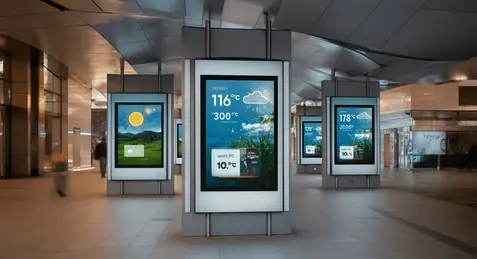
Digital Signage Displays.
Usage: Retail stores, shopping malls, airports, restaurants, reception areas
Features & Benefits:
- High brightness for clear visibility
- Remote content management for easy updates
- Supports images, videos, and live content
- Designed for long operating hours (16/7 or 24/7)
Interactive Flat Panel Displays (IFPD).
Usage: Classrooms, training centers, corporate meeting rooms
Features & Benefits:
- Multi-touch screen support for collaborative use
- Built-in digital whiteboard software
- Wireless screen sharing from laptops and mobile devices
- Android or Windows integration for smart applications
Video Wall Displays.
Usage: Control rooms, broadcasting studios, large events, security monitoring
Features & Benefits:
- Ultra-narrow bezels for seamless visuals
- Flexible screen configurations
- Real-time monitoring capability
- Large-scale high-resolution displays
Commercial LED Displays.
Usage: Outdoor advertising, billboards, stadiums, public displays
Features & Benefits:
- Extremely high brightness for outdoor visibility
- Weather-resistant design for durability
- Customizable large screen sizes
- Energy-efficient technology
High-Brightness Commercial Displays.
Usage: Shop windows, transport stations, outdoor-facing displays
Features & Benefits:
- Brightness levels up to 4000 nits or more
- Anti-glare panels for clear viewing
- Sunlight-readable technology
- Supports continuous operation
Touchscreen Kiosk Displays.
Usage: Airports, hospitals, malls, ticketing systems
Features & Benefits:
- Touch-enabled interface for interactive use
- User-friendly navigation systems
- Durable commercial-grade design
- Self-service functionality for transactions and information
Commercial Displays: Internal & External Components and Their Functions
Commercial displays are advanced digital systems made of multiple internal and external components, each designed to perform specific functions and provide key features for professional use.
Internal Components and Their Functions.
a) Display Panel (LCD/LED/IPS/AMOLED)
- Function: Produces the image or video that users see.
- Features Provided:
- High resolution (Full HD, 4K, 8K) for sharp visuals
- Wide color gamut and contrast ratio for vibrant display
- Sunlight-readable panels for indoor and outdoor usage
- Use Case: Essential for digital boards and led board advertising
b) Touch Sensor Layer (for Interactive Displays)
- Function: Detects touch inputs from fingers or stylus.
- Features Provided:
- Multi-touch support for collaborative work
- Gesture recognition for smooth interaction
- Pressure sensitivity for precise writing/drawing
- Use Case: Core feature for smart boards and interactive classrooms
c) Processor & Graphics Unit
- Function: Handles display operations, content rendering, and interactive tasks.
- Features Provided:
- Smooth playback of high-resolution videos
- Supports multiple apps and split-screen functionality
- Enables remote content scheduling and automation
- Use Case: Crucial for latest commercial displays running apps and digital signage
d) Connectivity Modules (Wi-Fi, Bluetooth, HDMI, USB)
- Function: Allows input from external devices and network communication.
- Features Provided:
- Wireless screen sharing from laptops or mobile devices
- Connection with external media players or PCs
- IoT integration for smart office/classroom environments
- Use Case: Makes digital boards and smart boards versatile and easy to integrate
e) Built-in Storage & Operating System
- Function: Stores apps, files, and configuration settings locally.
- Features Provided:
- On-device content playback even without network
- Supports Android, Windows, or Linux-based OS
- Enables preloaded educational or business apps
- Use Case: Enhances functionality of affordable displays without needing extra devices
External Components and Their Functions:
a) Enclosure / Frame
- Function: Protects internal hardware and supports installation.
- Features Provided:
- Durable metal or plastic frame for safety and longevity
- Anti-glare coating for better viewing
- Sleek design for modern offices, schools, or retail environments
b) Stand or Mounting System
- Function: Holds the display in place and allows flexible positioning.
- Features Provided:
- Adjustable tilt, height, and rotation for ergonomic use
- Wall-mount or floor stand options for different spaces
- Use Case: Essential for classrooms, conference rooms, or public display areas
c) External Connectivity Ports
- Function: Provides access to external devices like PCs, media players, or cameras.
- Features Provided:
- HDMI, USB, VGA ports for multiple input options
- Audio output for speakers
- Ethernet port for stable network connection
d) Cooling System (Fans or Heat Sinks)
- Function: Maintains optimal operating temperature for internal electronics.
- Features Provided:
- Prevents overheating during long operational hours
- Ensures consistent performance for 16/7 or 24/7 use
- Use Case: Crucial for high-brightness LED boards and video walls
e) Speakers / Audio Modules
- Function: Delivers sound for presentations or advertisements.
- Features Provided:
- Built-in stereo speakers for media playback
- Audio integration with external AV systems
- Use Case: Useful for interactive learning, advertising, and event presentations

Commercial Displays: Usage, Applications, and Functions.
Commercial displays are versatile tools used across industries, each designed to perform specific functions and provide interactive, real-time digital content. The following section explains their detailed usage across different environments.
Retail Stores and Shopping Malls
- Advertising and Promotions: LED boards and digital signage are used to display high-resolution promotional videos, seasonal offers, and product information, helping attract customer attention and guide purchase decisions. Interactive kiosks allow shoppers to browse product catalogs, check stock availability, and explore new arrivals, creating an engaging shopping experience.
- Store Information Display: Commercial displays provide clear, easy-to-read store directories, event notifications, and opening hours, enabling customers to navigate large retail spaces efficiently.
- Customer Engagement: Touchscreen displays are often used for surveys, loyalty programs, or interactive games, encouraging visitors to interact with the brand and increasing overall engagement.
- Typical Screen Sizes: 32″–75″ (indoor digital signage), 75″–150″ (large in-store displays)
Corporate Offices and Conference Rooms
- Presentations and Collaboration: Smart boards and interactive flat panels are widely used for team presentations, displaying charts, graphs, and reports. Multi-touch capabilities allow multiple team members to interact with the content simultaneously, making brainstorming sessions more productive.
- Video Conferencing Integration: Commercial displays connect with laptops, webcams, and conferencing software, allowing seamless video meetings. Wireless screen sharing enables remote participants to present content in real-time without cables or adapters.
- Training and Workshops: Interactive displays allow trainers to annotate content, share real-time feedback, and demonstrate practical exercises, enhancing learning and understanding during corporate workshops or employee training sessions.
- Typical Screen Sizes: 55″–86″ (meeting rooms), 98″–110″ (large conference halls).
Educational Institutions (Schools, Colleges, Universities)
- Interactive Learning: Smart boards replace traditional blackboards, enabling teachers to display videos, animations, diagrams, and interactive quizzes that make lessons more engaging and visually appealing.
- Collaborative Student Activities: Multi-touch screens allow students to work together on projects or exercises simultaneously, fostering teamwork and active participation in classrooms.
- Classroom Management: Built-in software tracks lesson plans and allows teachers to share content from tablets or laptops seamlessly, enabling a more organized and technology-driven learning environment.
- Typical Screen Sizes: 55″–86″ (classrooms), 98″–110″ (lecture halls).
Airports, Train Stations, and Public Transport Hubs
- Real-Time Information Display: High-brightness LED boards show arrival and departure times, gate information, and delays, providing travelers with accurate, real-time updates.
- Announcements and Alerts: Digital signage broadcasts emergency messages, schedule changes, and service alerts instantly to large crowds, ensuring safety and effective communication.
- Ticketing and Navigation Assistance: Interactive kiosks guide passengers through ticketing, check-in processes, or station navigation, reducing queues and providing self-service convenience.
- Typical Screen Sizes: 55″–150″ (information boards), 75″–200″ (video walls).
Hospitals and Healthcare Centers
- Patient Information Display: Digital boards show waiting lists, doctor schedules, and department details, helping patients find relevant information without needing staff assistance.
- Wayfinding and Navigation: Touchscreen kiosks help visitors locate departments, facilities, or medical services within large healthcare centers, improving overall efficiency.
- Health Awareness and Education: Commercial displays are used to broadcast public health campaigns, vaccination information, and preventive tips to educate patients while they wait.
- Typical Screen Sizes: 42″–65″ (patient info boards), 32″–55″ (interactive kiosks).
Restaurants, Cafes, and Fast-Food Chains
- Digital Menu Boards: LED boards display menu items, combo offers, and promotional videos with vivid visuals, making it easier for customers to decide and order quickly.
- Self-Service Ordering: Interactive kiosks allow patrons to customize meals, place orders, and make payments without requiring staff assistance, speeding up service and reducing errors.
- Promotions and Branding: Displays can show loyalty programs, nutrition information, and new product launches, ensuring consistent customer engagement and brand visibility.
- Typical Screen Sizes: 42″–75″ (menu boards), 32″–55″ (self-service kiosks).
Control Rooms and Security Monitoring
- Surveillance: Video wall displays aggregate feeds from multiple CCTV cameras, allowing security teams to monitor large areas in real-time.
- Operational Monitoring: Multi-screen setups show dashboards, alerts, and system status, helping operators track critical data simultaneously.
- Emergency Management: Displays provide instant visualization of incidents, alerts, and analytics, aiding in rapid decision-making during emergencies or critical situations.
- Typical Screen Sizes: 46″–75″ per panel (modular video walls).
Events, Exhibitions, and Public Displays
- Stage Backdrops and Presentations: LED walls provide high-quality visuals for conferences, concerts, exhibitions, and other live events, creating visually immersive experiences.
- Interactive Information Points: Touchscreen kiosks guide attendees with schedules, maps, and event information, enabling self-service navigation and personalized engagement.
- Advertising and Branding: Digital displays showcase sponsor content, live streams, and highlight event activities, ensuring audience engagement and effective brand communication.
- Typical Screen Sizes: 32″–55″ (interactive kiosks), 75″–200″+ (LED walls and large video displays).
Commercial Displays Available on Projector.com.pk
Explore a wide range of commercial display solutions available on projector.com.pk. Below are some of the brands and specific commercial display models you can find in our online store.
ViewSonic
- Interactive Flat Panel ViewBoard IFP6552‑1CF
- Interactive Flat Panel ViewBoard IFP7552‑1CF
- Interactive Flat Panel ViewBoard IFP8652‑1CF
- ViewSonic CDM4900R 49″ Commercial Display
- ViewSonic CDE8600 86″ 4K Ultra HD Commercial Display
Lampro
- LAMPRO Module LC Series
- (Other Lampro commercial displays available in category)
NEC
Why Choose Commercial Displays from Projector.com.pk?
At projector.com.pk, we provide a wide range of high-quality commercial displays to meet every professional requirement, whether it’s for education, corporate offices, retail stores, or public spaces. Our displays are sourced from trusted brands and are carefully selected to offer latest technology, reliability, and affordability.
When you shop with us, you benefit from:
- Authentic Products: All displays are genuine and from reputed manufacturers, ensuring top-notch performance.
- Variety & Availability: Choose from a wide selection of LED boards, smart boards, and interactive digital displays suitable for any environment.
- Competitive Pricing: We offer the latest and affordable displays that fit every budget without compromising on quality.
- Customer Support: Our team provides expert guidance to help you select the right display for your specific needs.
- Convenient Online Shopping: Browse our full collection and make secure purchases directly from projector.com.pk.
Choose projector.com.pk for your commercial displays and get high-quality, reliable, and cutting-edge solutions that enhance your space and professional operations.
FAQS:
1. What is a commercial display and how is it different from a regular TV?
Answer: A commercial display is designed for professional use in offices, schools, retail stores, and public spaces. Unlike a regular TV, it offers high brightness, interactive touch features, multi-device connectivity, and long operational hours, making it suitable for continuous business use.
2. Where can I buy LED boards, smart boards, and digital displays in Pakistan?
Answer: You can buy a wide range of commercial displays including LED boards, smart boards, and interactive digital displays from projector.com.pk. The website offers latest and affordable displays suitable for retail, education, and corporate setups.
3. What screen sizes are available for commercial displays?
Answer: Commercial displays come in multiple sizes depending on usage. For classrooms or offices, sizes range from 55″ to 86″, while larger displays for malls, airports, or events can be 75″ to 200″+. Modular LED walls allow further customization for very large spaces.
4. How do I choose the right commercial display for my business?
Answer: Consider your space, audience size, and purpose. For interactive learning, choose multi-touch smart boards; for advertising in retail, choose high-brightness LED boards; for events or control rooms, large video walls are ideal. At projector.com.pk, you can compare products and select the one that fits your needs.
5. What is the price of commercial displays in Pakistan?
Answer: Prices vary by size and type:
- 43″ commercial display: PKR 100,000–200,000
- 55″–75″ interactive smart boards: PKR 400,000–700,000
- 86″+ large interactive displays: PKR 700,000–1,200,000
- LED boards/video walls: PKR 80,000–350,000 per square meter (depending on indoor/outdoor use)
Check projector.com.pk for the latest options and availability.